How to ban a user?
The Ban User feature in a chat room allows administrators or moderators to block a specific user from accessing and participating in the conversation. When a user is banned, they can no longer send messages or view the chat room’s content. This feature is typically used to maintain a safe and respectful environment, preventing disruptive behavior or violations of community guidelines. The ban can be temporary or permanent, depending on the situation and the rules of the chat room.
When a user is not following chat rules, you can ban the user for misbehaving in the chat room. Here’s how you can do it.
1. Login to the chat as an Admin user.
You will need to be an Admin to delete messages. If you wish to create a new admin user, Please refer to this guide: Create an admin user.
2. Click on a User name
Click on a user name in the left-hand corner of the users’ list.
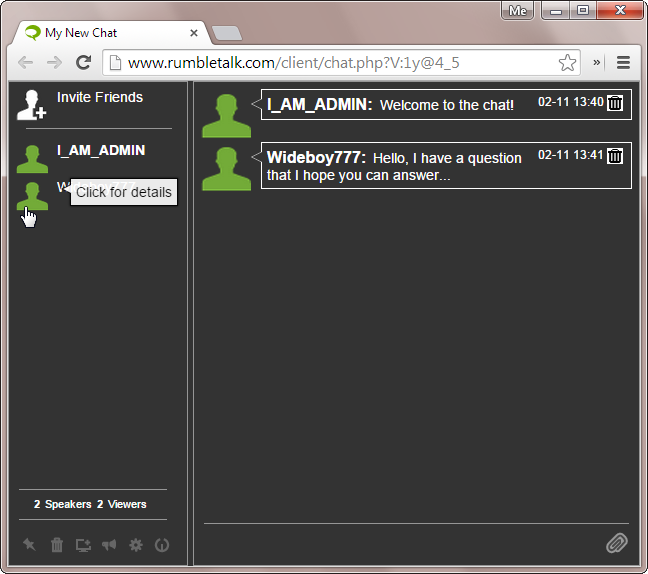
This will open the private chat plus moderation panel.
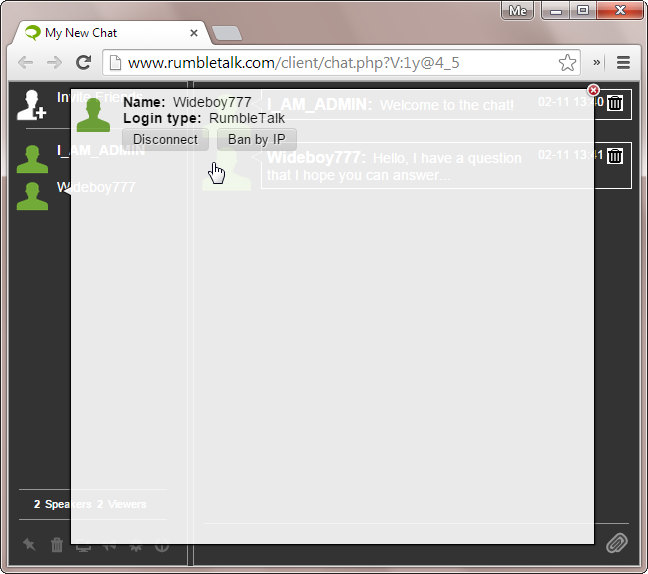
3. Kick or ban user
If this user misbehaves, you may select the appropriate action.
Disconnect – A warning, this will remove the user from the chat, but allow them to reconnect in a few seconds.
Ban by IP – this will remove the user from the chat, and disallow access from their current IP address. If the user was logged in with a RumbleTalk account, that account will be removed from the chatroom.
4. Un-Ban User and IP address
You can remove users from the Ban IP list by going to your admin panel (accessed by the chat owner), to the banned IP list, and remove the IP.
Select Settings > Banned IPs.
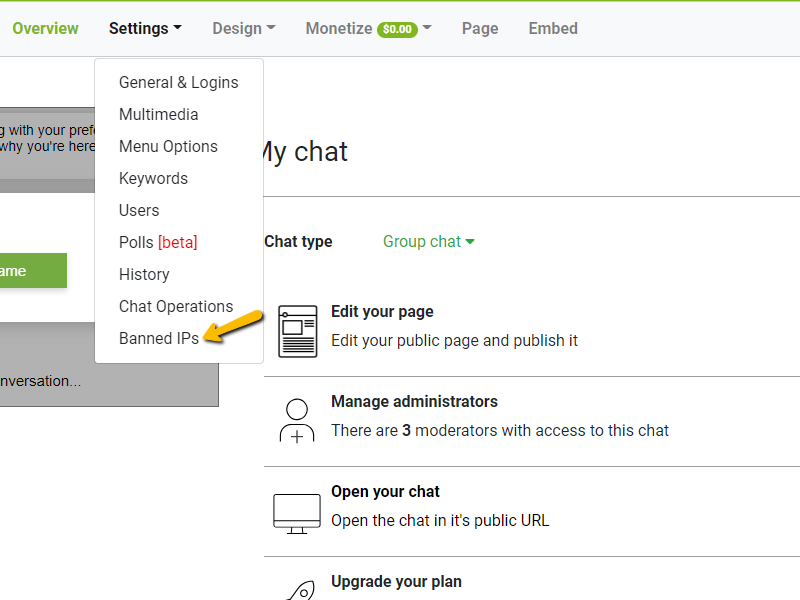
Manually remove the IP of the user you previously banned.

Here’s a short video showing how you can ban users in your chat.

Only a user who logged in to the chat as an admin may ban a user. The Ban User feature allows administrators or moderators to block a specific user from accessing and participating in the chat room. Banned users can no longer send messages or view the chat content.
As an admin or moderator, click on the user’s name in the chat room, select the Ban option from their profile menu, and confirm the action.
Yes. Bans can be temporary or permanent depending on the situation. Admins can unban users from the admin panel at any time.
Banning is used to maintain a safe and respectful environment by removing users who display disruptive behavior or violate community guidelines.